Posts

Showing posts with the label SSH Key pair

How to SSH to remote server without entering password each time.

ssh -copy-id  example_user@www.example.com and give password once. Then you will be able to ssh without password next time onwards. Make sure you have a ssh key generated in your local machine. This works for Linux only (not Mac, Windows etc.) For Mac you need to first setup ssh-copy-id command & then copy the ssh key sudo curl https://raw.githubusercontent.com/beautifulcode/ssh-copy-id-for-OSX/master/ssh-copy-id.sh -o /usr/local/bin/ssh-copy-id sudo chmod +x /usr/local/bin/ssh-copy-id ssh-copy-id -i /path/id_rsa.pub example_user@www.example.com   Now you have your ssh-key copied to your server. You can now try your normal ssh login command without entering password
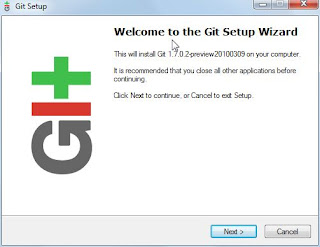
GIT installation on Windows and Generating SSH keys

Image
Download msysgit .  Double click on the .exe  Once installed, when I click the Windows button and type git (since I’m using Windows 7) I'll see 'Git Bash', 'Git Gui', 'Uninstall Git'.  Click 'Git Bash' .  Once I have the git bash open, I run 'git –version'  to make sure everything is working: Generating the Secure Shell (aka SSH) Keys If you have an existing keypair you wish to use, you can skip this step . Now it’s time to generate a new keypair. Lets make an RSA keypair: $ ssh-keygen -t rsa  -C "amal9994kumar@gmail.com" Enter  the file name as id_rsa   Enter  the passphrase Confirm your passphrase You have generated two files id_rsa and id_rsa.pub Copy these two files( id_rsa and id_rsa.pub ) to the .ssh folder (found in the present working directory)  Now copy the key in the id_rsa.pub file and add it to your Github account. To test the w...